
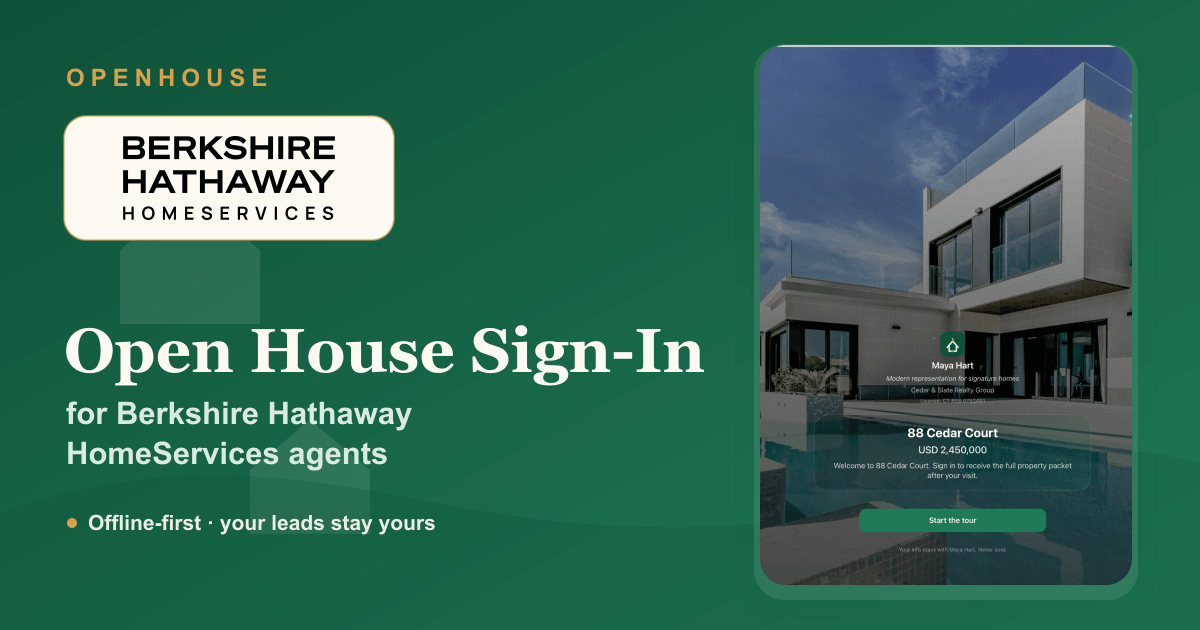
A Berkshire Hathaway HomeServices listing carries an expectation of polish, and the sign-in table is part of that first impression. A clipboard that smudges and a pen that runs out undercut it; a clean iPad sign-in reinforces it. OpenHouse gives BHHS agents a digital open house sign-in sheet that captures every visitor, sorts the serious buyers from the curious neighbors, and, the part that matters most for a name built on trust, keeps the contact details on your own device.
This is an independent app rather than a BHHS product. But the values line up: a dependable, professional process, and a brokerage culture that treats the client relationship, and the data behind it, as something you protect, not something you hand to a vendor.
Why BHHS agents reach for OpenHouse at the door
- No connection required. The sign-in, the qualification, and the lead capture all run on the iPad itself. When the listing's Wi-Fi is missing, and at empty estates it often is, nothing stalls.
- The leads are yours, full stop. Every visitor is stored locally and doesn't leave the device until you export it. No lead is quietly routed to a lender or a third party. For a "Forever" brand, that's the right default.
- A kiosk that behaves. Kiosk mode locks the iPad to the sign-in screen so a guest can't thumb through the rest of your device, and you don't have to wrestle with iOS settings to set it up.
- Qualification while they're in front of you. Mark each visitor as a represented buyer, an unrepresented hot lead, a neighbor, or an investor, so the follow-up list practically sorts itself.
A first impression that matches the brand
Going digital isn't about novelty; it's about not losing leads to bad handwriting and lost time. OpenHouse shows one clean screen to each visitor, the next guest never sees the last guest's number, and the lead is captured the moment they finish, not "later" when you finally get around to retyping a page of names.
If you're weighing your options first, the open house sign-in app buyer's guide frames the category by what to look for, and the best open house apps roundup is honest about the free choices too.
Add your branding, keep the lead
Drop in your headshot or office logo and a short welcome line, and the kiosk greets visitors as your open house. You're licensed to use BHHS branding on your own marketing materials; the sign-in screen is one of them. The lead it captures belongs to you and stays with you.
Disclosures, signed at the door
For higher-value transactions, what a visitor agrees to matters. OpenHouse can present a disclosure or agency notice before sign-in and capture a signature, recording acceptance with a timestamp on the lead record. Our buyer-agency disclosure guide covers the post-settlement details worth getting right.
Then hand it to your CRM
OpenHouse isn't a CRM and doesn't pretend to be. It captures and qualifies at the door, then exports cleanly, CSV, Contacts, vCard, a seller-ready PDF, or a share-to-CRM handoff, into whatever system you run your business on. From there, your open house follow-up takes over.
OpenHouse vs. the paper sheet at a BHHS open house
| Paper sign-in sheet | OpenHouse | |
|---|---|---|
| Works offline | ✅ | ✅ fully on-device |
| Legible, no retyping | ❌ | ✅ |
| Privacy between visitors | ❌ | ✅ one screen each |
| Buyer qualification | ❌ | ✅ represented / hot / neighbor / investor |
| Signed disclosure | ❌ | ✅ with timestamp |
| Export to your CRM | ❌ retype by hand | ✅ CSV, Contacts, vCard, share-to-CRM |
| Leads stay yours | ✅ | ✅ never leave your device |
Set it up before your next showing
- Install OpenHouse on your iPad or iPhone and create the event for the listing.
- Add your branding and, if you want it, a disclosure for visitors to accept.
- Switch on kiosk mode, set the iPad on the counter, and greet people at the door.
- After the event, export your qualified leads into your CRM and start following up.
The honest part: it's a paid app while some rivals are free, it runs only on iOS and iPadOS, and it's not a marketing suite. What it does is capture every visitor reliably, qualify them, and keep the leads yours. If that's the trade you want at a BHHS open house, try it free for a month and judge the kiosk at a real event.
Frequently asked questions
Is there an open house sign-in app for Berkshire Hathaway HomeServices agents?
Yes. OpenHouse is an iPad and iPhone open house sign-in app any BHHS agent can use. It captures each visitor at the door, qualifies them, and keeps the leads on your device so you can export them to your CRM. It is an independent app and is not provided by or affiliated with Berkshire Hathaway HomeServices.
Can I put my BHHS branding on the sign-in screen?
Yes. Add your own photo or logo and a welcome message so the kiosk presents as your open house. As a BHHS affiliate agent you are licensed to use your brokerage branding on your own marketing, including your sign-in screen.
Will it work at a listing with no Wi-Fi?
Yes. OpenHouse makes zero network calls, so every sign-in is written to the iPad on the spot. A vacant or new-construction listing with no signal behaves exactly like a connected one.
Can visitors accept a disclosure when they sign in?
Yes. You can show a disclosure or agency notice before sign-in and capture a signature, and each lead records that the disclosure was accepted with a timestamp.
Does it push leads to my CRM automatically?
No, and that is deliberate. OpenHouse captures and qualifies at the door, then hands leads off on your terms, CSV, Contacts, vCard, PDF, or share-to-CRM. Your leads stay on your device until you choose to export them, so nothing is shared with a third party behind your back.
OpenHouse is an independent application and is not affiliated with, endorsed by, or sponsored by Berkshire Hathaway HomeServices or HomeServices of America. "Berkshire Hathaway HomeServices" and its logo are trademarks of their respective owner and are used here only to describe the agents this page is written for.