
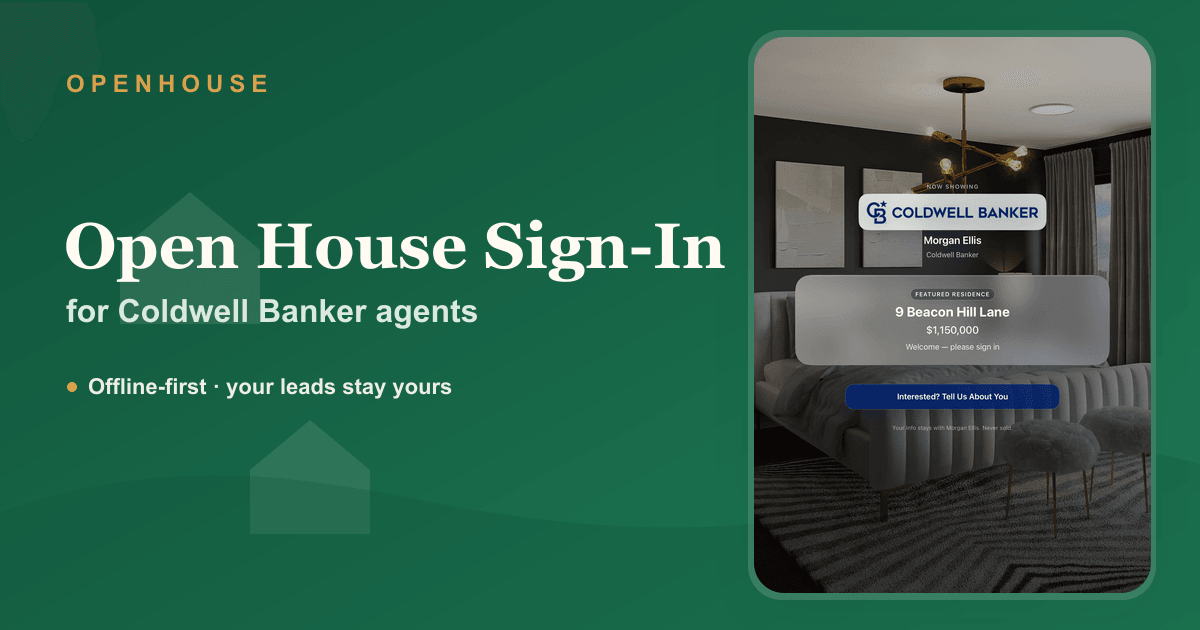
A Coldwell Banker open house should feel buttoned-up from the moment a visitor walks in, and the sign-in is the first thing they touch. A paper sheet undercuts that: smudged handwriting, a list everyone can read, and a stack of names you have to retype on Monday. A Coldwell Banker open house sign-in sheet that runs on your iPad fixes all three. OpenHouse captures each guest cleanly, lets you size them up while they're in front of you, and keeps the contact details on your device, not in someone else's cloud.
OpenHouse is an independent app, not a Coldwell Banker product. But the way it works, dependable, private, and out of your way, fits a brand built on doing things properly.
What a Coldwell Banker agent gets out of it
- A sign-in that never stalls. Capture runs fully on the iPad with zero network calls, so a quiet new-construction listing with no signal behaves the same as a wired one. No spinner, no "trying to connect," no lost name.
- Leads that stay with you. Every visitor is written to your device and doesn't leave it until you export them. There's no third party quietly receiving your buyer's phone number, and no lender attached to your sign-in questions.
- A locked-down kiosk. Kiosk mode pins the iPad to the sign-in screen, so a stranger can't swipe into your email or photos between visitors, and you don't have to set up Apple's Guided Access by hand.
- Buyer sorting at the door. Mark each person as a represented buyer, an unrepresented hot lead, a curious neighbor, or an investor, so your follow-up list is already triaged before you lock up.
Built for a real Sunday afternoon
Going digital is not about looking modern; it's about not losing the people who actually showed up. Paper loses them three ways, you can't read it, the ninth visitor reads the other eight, and half the contacts never get retyped. OpenHouse shows one clean, private screen per visitor and captures the lead the second they finish, so there's no Monday backlog and no "I'll add them later."
New to comparing tools? Start with the open house sign-in app guide for what to weigh, or the honest best open house apps roundup, which ranks the free options fairly alongside ours.
Disclosures, handled at the front door
After the NAR settlement, what a visitor agrees to before they tour matters. OpenHouse can show a disclosure or agency notice ahead of sign-in, capture a signature, and stamp each lead with the time it was accepted. For the why behind it, see our guide to buyer-agency disclosure at open houses.
From the iPad into your CRM
OpenHouse is intentionally not a CRM, it does the door job and hands off. Export your qualified leads as a CSV, push them to Contacts or vCard, generate a seller-ready PDF, or use the share-to-CRM handoff to drop them into whatever platform your office runs. Then your system takes over the nurture, with help from our open house follow-up playbook.
OpenHouse vs. the paper clipboard
| At a Coldwell Banker open house | Paper sign-in sheet | OpenHouse |
|---|---|---|
| Keeps working with no signal | ✅ | ✅ fully on-device |
| Readable, no Monday retyping | ❌ | ✅ |
| Each visitor's details stay private | ❌ open list | ✅ one screen each |
| Qualifies buyers on the spot | ❌ | ✅ represented / hot / neighbor / investor |
| Captures a signed disclosure | ❌ | ✅ timestamped |
| Hands leads to your CRM | ❌ retype by hand | ✅ CSV, Contacts, vCard, share-to-CRM |
| Your leads stay yours | ✅ | ✅ never leaves the device |
We break the clipboard comparison down further in OpenHouse vs a paper sign-in sheet.
Running it at your next open house
- Install OpenHouse on your iPad or iPhone and set up the event for the listing.
- Add your branding and, if you want it, a disclosure for visitors to accept.
- Switch on kiosk mode, set the iPad on the kitchen island, and work the door.
- When it's over, export the qualified leads to your CRM and start following up.
Straight talk on the trade-offs: OpenHouse is paid where some rivals are free, it runs only on iOS and iPadOS, and it is not a marketing platform. What it guarantees is that every visitor at a Coldwell Banker open house is captured reliably, qualified, and kept yours. If that's the job to be done, try it free for a month and test it at a low-stakes event first.
Frequently asked questions
Is there an open house sign-in app Coldwell Banker agents can use?
Yes. OpenHouse is an independent iPad and iPhone open house sign-in app any Coldwell Banker agent can run at a listing. It records each visitor at the door, lets you qualify them, and stores the leads on your device so you can export them to your CRM afterward. It is not provided by or affiliated with Coldwell Banker.
Will it look professional enough for a Coldwell Banker listing?
Yes. You can add your headshot or office logo and a short welcome message, so the iPad greets visitors as a polished, branded sign-in rather than a generic web form. The presentation stays consistent with the standard buyers expect from the brand.
What happens at a listing with no signal?
Nothing changes. OpenHouse runs entirely on the device and makes no network calls, so sign-in keeps working at a vacant property or a basement-level unit exactly as it does on fast Wi-Fi. There is no queue waiting to sync and nothing to lose if the connection never comes back.
Can visitors acknowledge a disclosure when they sign in?
Yes. You can present a disclosure or agency notice before the sign-in form and capture a signature, and each captured lead stores the acceptance with a timestamp, a clean record to keep alongside your file.
Does OpenHouse replace my CRM?
No, and it does not try to. OpenHouse captures and qualifies leads at the door, then exports them, CSV, Contacts, vCard, PDF, or a share-to-CRM handoff. Your CRM still runs your pipeline; OpenHouse just makes sure every visitor reaches it cleanly instead of getting lost on a clipboard.
OpenHouse is an independent application and is not affiliated with, endorsed by, or sponsored by Coldwell Banker Real Estate LLC. "Coldwell Banker" and the Coldwell Banker logo are trademarks of their respective owner and are used here only to describe the agents this page is written for.