
A luxury open house is a quiet qualifying conversation, not a turnstile, and a paper clipboard passed between strangers is beneath both the listing and the buyer. For agents at Sotheby's International Realty, a sign-in sheet that lives on the iPad captures each visitor cleanly, reads the room discreetly, and, the part that matters most at this price point, keeps every contact private to you. OpenHouse was built around that last idea.
This is an independent app rather than a Sotheby's International Realty product, but the priorities line up: present well, qualify carefully, and protect the client relationship. A buyer touring an eight-figure property has more reason than most to wonder where their phone number is going. With OpenHouse, the honest answer is "nowhere, it stays on your device until you decide otherwise."
Discretion by architecture, not by policy
Most sign-in apps are cloud products: the visitor's details travel to a vendor's servers the moment they tap submit, and some "free" tools are funded by handing that data to a paired lender. OpenHouse takes the opposite approach. There is no account and no backend. Every sign-in is captured privately on the iPad itself, and nothing is transmitted, synced, or sold. For a clientele that values confidentiality, that distinction is the whole pitch, and it is structural, so it holds whether or not anyone reads a privacy policy.
A sign-in that works where the signal doesn't
Trophy properties are often exactly where connectivity fails: gated estates, hillside builds, waterfront with thick walls, the brand-new spec home no carrier has reached yet. OpenHouse makes zero network calls, so the sign-in form, the qualification, and the capture all happen on-device. A listing with no bars behaves no differently than one wired with fiber, and you never explain to a seller why a buyer "didn't get saved."
An unobtrusive kiosk that suits the room
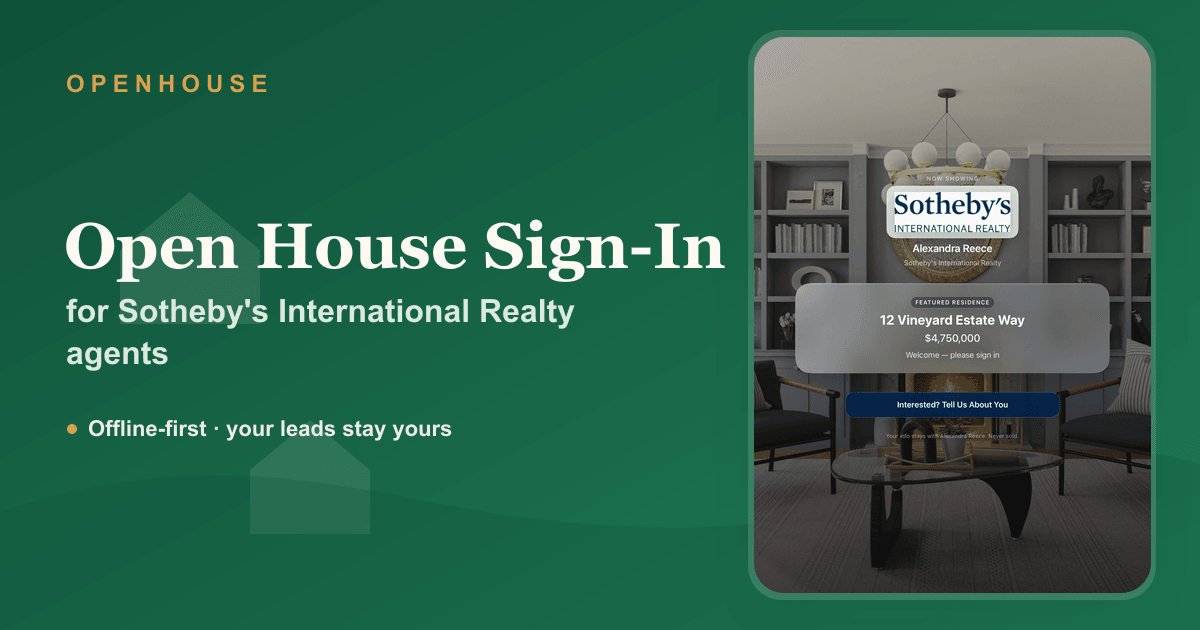
The hardware should disappear. Set the iPad on a console, switch on the built-in kiosk mode, and the device is locked to a single, elegant sign-in screen, no stray apps, no notifications, no need to fuss with iOS Guided Access. Add your own photograph and a short welcome line and the experience reads as considered, which is the point.
Qualify quietly, follow up precisely
At a luxury open house the room is a mix: genuine buyers, curious neighbors, an architect, the occasional looker. OpenHouse lets you tag each visitor, represented buyer, unrepresented hot lead, neighbor, investor, without a clipboard interrogation, so your follow-up list is already sorted by the time you lock up. From there it is a short step to a thoughtful first touch; our guide on open house follow-up covers the cadence that converts at the top of the market.
Signed disclosures for high-value transactions
When the numbers are large, clarity about representation is not optional. OpenHouse can present a disclosure or agency notice before sign-in and capture a signature, recording acceptance with a timestamp on the lead itself, quiet, defensible documentation that fits the stakes.
OpenHouse vs. a typical cloud sign-in app
| Typical cloud sign-in app | OpenHouse | |
|---|---|---|
| Where the lead goes | Vendor servers on submit | Stays on your iPad |
| Lender / third-party data sharing | Sometimes (how "free" is funded) | Never |
| Works with no signal | Queues and syncs later | Fully on-device, always |
| Visitor-to-visitor privacy | Varies | One private screen each |
| Signed disclosure capture | Varies | Built-in, timestamped |
| Export on your terms | Varies | CSV, Contacts, vCard, PDF, share-to-CRM |
If you want the wider field before deciding, we keep an honest best open house apps list and a direct OpenHouse vs. Curb Hero comparison, neither pretends ours is the only good answer. For more on serving this clientele specifically, see OpenHouse for luxury real estate.
Setting it up for your next showing
- Install OpenHouse on your iPad and create the event for the listing.
- Add your mark and, where appropriate, a disclosure for guests to accept.
- Enable kiosk mode, place the iPad on a console, and receive guests as you normally would.
- Afterward, export your qualified contacts to your CRM and begin a measured follow-up.
In fairness: OpenHouse is a paid app, it is iOS and iPadOS only, and it is not a marketing platform. What it does is capture every guest at the door reliably, qualify them with discretion, and keep their details yours. If that is the standard your listings call for, try it free for a month and judge it at a single appointment before a marquee weekend.
Frequently asked questions
Is there an open house sign-in app for Sotheby's International Realty agents?
Yes. OpenHouse is an iPad and iPhone open house sign-in app that any Sotheby's International Realty agent can use. It captures and qualifies each visitor at the door and keeps every lead on your own device, so a high-net-worth buyer's details are never routed to a vendor cloud or a paired lender. It is an independent app and is not provided by or affiliated with Sotheby's International Realty.
How does it protect a buyer's privacy at a luxury open house?
Two ways. Each visitor sees only their own single sign-in screen, so no one reads the name above theirs, and every entry is stored locally on the iPad with zero network calls, nothing is uploaded, synced, or shared until you choose to export it. Discretion is the default, not a setting.
Will it work at an estate or gated property with no signal?
Yes. OpenHouse makes no network calls at all, so sign-in, qualification, and capture happen entirely on the device. A remote estate or a gated listing with no Wi-Fi behaves exactly like a connected one.
Can visitors sign a disclosure before entering?
Yes. You can present a disclosure or agency notice before sign-in and capture a signature, and each lead records acceptance with a timestamp, useful documentation when the transaction values are high and representation needs to be clear.
Can I match the sign-in screen to my listing?
Yes. Add your own photograph or mark and a short welcome line so the kiosk feels considered rather than generic. The lead stays yours; the app simply captures it.
OpenHouse is an independent application and is not affiliated with, endorsed by, or sponsored by Sotheby's International Realty Affiliates LLC. "Sotheby's International Realty" and its logo are trademarks of their respective owner and are used here only to describe the agents this page is written for.