
Open Home Pro is a well-established open house sign-in and lead app for real estate agents, with a genuine free tier and a paid plan for agents who need more than the first 25 leads. This review walks through what it actually does, what its own pricing page says it costs, and the one place it can trip up an agent: how it handles a listing with no signal. Full disclosure before we start: OpenHouse is our app, and we suggest it at the end as the offline-first alternative. We have tried to be fair to both.
The short version
- Open Home Pro is a real, mature product. It replaces the paper clipboard with a tablet sign-in sheet, organizes leads, exports them, and can send automated follow-up emails on the paid plan. According to its own site, Open Home Pro does not sell or contact your leads, which is a cleaner stance than some free apps take.
- The free tier is limited by lead count, not time. Its pricing page lists a Free plan that caps you at your first 25 leads. Exporting and automated follow-up sit behind Premium.
- Its offline story is sync-later, not zero-network. Open Home Pro keeps working offline and uploads when you reconnect, but it runs on a cloud account. If you need capture that never touches the network, that is a real distinction.
If you already know you want the head-to-head, the OpenHouse vs Open Home Pro comparison puts the two side by side. This page reviews Open Home Pro on its own terms.
What Open Home Pro is
Open Home Pro has been in the open house category for years, and a lot of agents will recognize its interface on sight. At its core it is a digital sign-in tool: a visitor types their name and contact details into a tablet at the door instead of scribbling on a sheet, and the app saves that contact for follow-up. Its site describes it as a tool for agents to run open houses and manage the resulting leads, an accurate summary of the product.
It runs on iPad and Android tablets, with a web version at app.openhomepro.com. That tablet-plus-web setup matters up front, because the sign-in experience is built around a dedicated tablet at the door. You create an account, set up your listing, and hand over the tablet to visitors. The account is not optional; it is how your leads sync between the tablet and the web dashboard where you manage them later.
Open Home Pro features, one by one
Digital sign-in. This is the headline. Open Home Pro's digital sign-in sheet replaces the pen-and-paper clipboard with a tablet form. Visitors sign in, and the app saves the contact instantly rather than leaving you to decipher handwriting on Monday. This is the feature every app in the category is built around, and Open Home Pro does it competently.
Lead management and notes. After the event, leads land in a dashboard where you can review them and add notes to each contact for follow-up. On the free plan you can view and manage your first 25 leads. That number is the pivot point of the whole pricing model, and we come back to it below.
Lead exporting. You can export your leads out of the app for use elsewhere, including CSV export. On the pricing page, exporting is presented as a Premium feature, so the free tier lets you capture and view leads but expects you to upgrade before you pull them out in bulk. If getting your data out cleanly matters to you (and it should), read the plan you are on carefully.
Single-property websites. Open Home Pro markets shareable single-property websites, so an agent can spin up a simple listing page to promote the home. That is a marketing extra beyond the sign-in itself, and it is a reasonable value-add if you want a quick web page per listing.
Automated follow-up emails. On the Premium plan, Open Home Pro can send automatic follow-up emails to visitors, with personalized email branding and trackable opens. This is a genuine convenience if you want a same-day touch to go out without you lifting a finger. It is also worth knowing what it is: an automated email sequence sent on your behalf, which is a different philosophy from a first-touch you send yourself. Some agents want that automation; others want to be the only human who ever contacts an open house lead.
Seller summary reports. Premium includes a seller summary you can share with the homeowner after the event, turning attendance into something you can put in front of a seller. That mirrors what agents expect from a modern sign-in app.
One thing we did not find on the pages we read: any AI lead scoring or a "hot leads" leaderboard. Open Home Pro's lead handling is organize-notes-and-follow-up, not a scored ranking. That is fine, and honestly it is how most agents work, but if you saw a claim about lead scoring elsewhere, it is not what the product's own site leads with.
Open Home Pro pricing
Open Home Pro uses a freemium model: a free plan plus one paid tier. Here is what its own pricing page showed when we read it.
Free ($0, "free forever"). The pricing page's free tier is limited by lead count rather than by time or events: you can only view and manage your first 25 leads. That distinction matters. You can keep hosting open houses, but once you have collected more than 25 leads, the additional ones sit behind the paywall.
Premium (around $25 per month). The paid plan lifts the 25-lead cap to unlimited leads and adds CSV lead exporting, advanced analytics and reports, automated trackable follow-up emails, email templates and branding, contact management, and the seller summary. The pricing page lists roughly 20 percent off when you pay annually, which works out to about $20 per month on the annual plan. Because vendor pricing shifts, treat these figures as what we saw on the date below and check the Open Home Pro pricing page for the current rate before you subscribe. We did not see a free-trial period advertised for Premium; the free tier is the trial, and it is gated by lead count rather than a countdown.
For comparison, OpenHouse is a flat $9.99 per month or $79.99 per year with a one-month free trial of the full app, and no lead cap at any point. You can see what OpenHouse costs in detail. The two products price differently on purpose: Open Home Pro gives away basic capture and charges for volume and automation, while OpenHouse charges a small flat fee and puts every feature, including unlimited leads and export, in front of the paywall.
Where Open Home Pro falls short for true offline capture
Here is the part of an Open Home Pro review that matters most if your listings are ever in a dead zone.
Open Home Pro says its mobile app keeps working when you are offline. Read that claim precisely, though, because there are two very different things it can mean. One is "the app makes zero network calls and stores everything on the device." The other is "the app queues your sign-ins locally and uploads them to your cloud account when you reconnect." Open Home Pro is the second kind: a sync-later model built on a cloud account. Sign-ins captured without a connection are meant to upload once you are back online.
For most suburban open houses with decent LTE, that difference never shows up. For a vacant listing where the sellers already cancelled the internet, or a concrete-walled building with one bar in the kitchen and none in the back bedroom where you set up the table, it can. A sync-later app depends on a successful upload eventually happening, and it depends on you being signed into an account that authenticates against a server. If you have ever watched a login spinner stall at the exact moment a visitor is standing over the tablet, you know why some agents want capture that never reaches for the network at all.
This is the specific gap OpenHouse was built to close. It makes zero network calls during an event. The kiosk, the sign-in form, and every lead write go into local storage on the device and stay there until you deliberately export them. There is no account to create and no login to fail at the door, so true offline lead capture is the default rather than a fallback mode. Airplane mode is a supported way to run an event, not an edge case. If your territory includes rural or vacant listings, test any app you are considering in airplane mode before you trust it with a live Sunday, Open Home Pro included.
The privacy question, fairly
Credit where it is due: Open Home Pro states plainly that your leads are your leads, and that it does not contact your leads or sell them. That is a clear, agent-friendly stance, and a better position than free apps that fund themselves by routing your visitors to a paired lender. If you were worried this was another data-for-a-free-app trade, that concern does not appear to apply here.
The remaining question is not about selling; it is about location. Open Home Pro keeps your lead data in a cloud account you sign into. That is convenient (you get a web dashboard, sync across devices, and a place to manage follow-up), and it is also a dependency. Your leads live on someone else's servers, reachable through an account. OpenHouse takes the other side of that trade with private-by-design lead capture: the data sits on your device by default, cloud sync is opt-in, and nothing leaves until you send it. The practical question with any sign-in app is "where does my lead data live," and it is worth settling before your next event, not after.
Open Home Pro vs OpenHouse at a glance
| Open Home Pro | OpenHouse | |
|---|---|---|
| Free tier | Yes, capped at first 25 leads | No; one-month free trial of the full app |
| Paid price | ~$25/mo (about $20/mo billed annually), per its pricing page | $9.99/mo or $79.99/yr |
| Lead cap | 25 on Free, unlimited on Premium | Unlimited on any plan |
| Account required | Yes | No |
| Offline model | Works offline, syncs later via cloud account | Zero network calls; on-device by design |
| Where leads live | Cloud account | On your device until you export |
| Sells or contacts your leads? | No, per its site | No |
| Export | CSV, on Premium | CSV, PDF, Contacts, vCard, Share to CRM |
| Follow-up style | Automated branded emails (Premium) | First-touch you send from your own number or email |
| Platform | iPad, Android tablet, web | iPhone, iPad, web app |
The table shows the shape of the choice. Open Home Pro leads with a free tier and automated email follow-up on a cloud account. OpenHouse leads with offline reliability, on-device data, unlimited leads, and a first-touch you send yourself. A fuller list of options sits in our best open house apps roundup, and if you want to see how each stacks against Open Home Pro specifically, the Open Home Pro alternatives page covers the field.
OpenHouse: the offline-first, privacy-first alternative
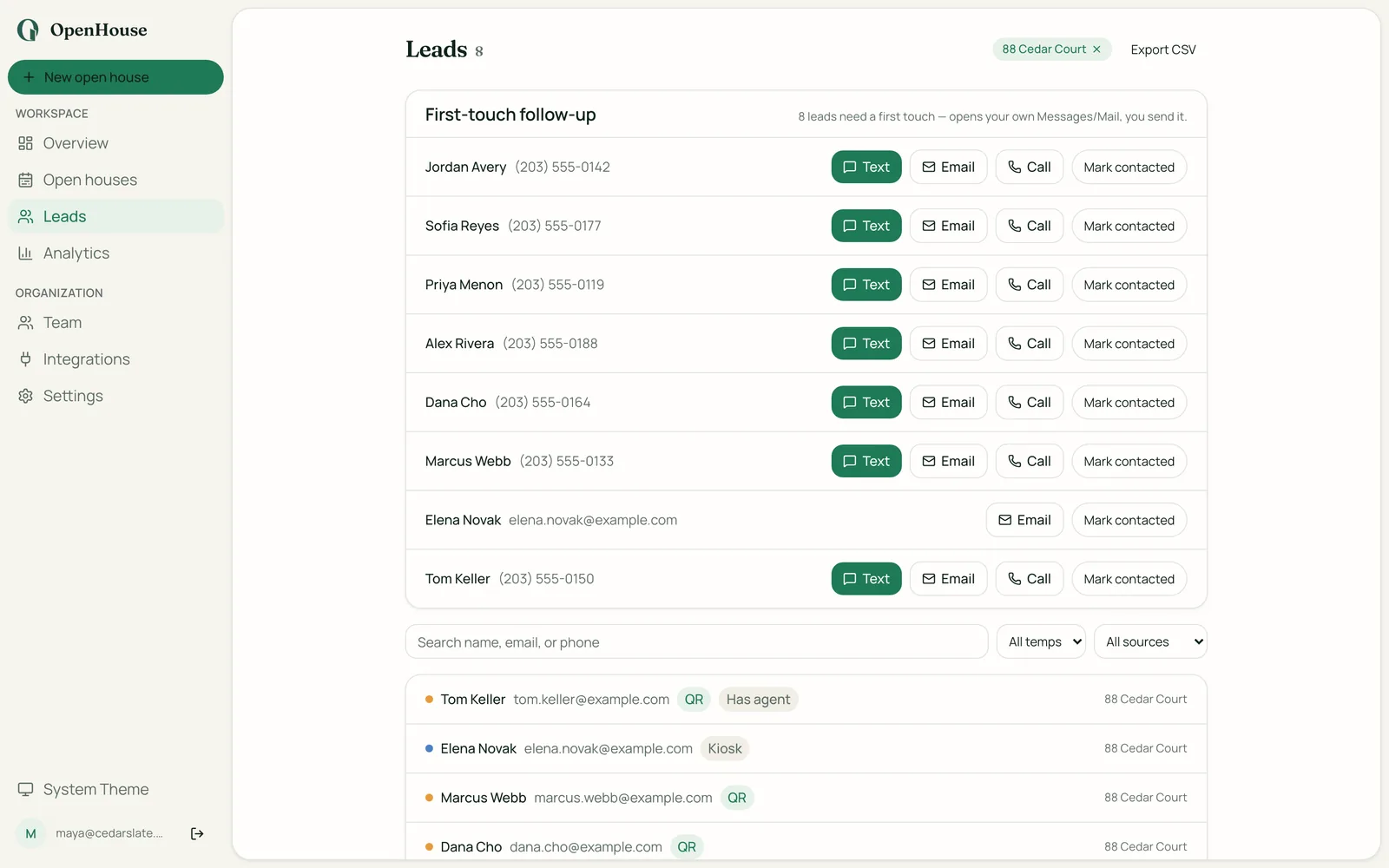
If this review has you weighing Open Home Pro against something built for the no-signal case, that is what OpenHouse is. It is a single-screen sign-in that runs entirely on your iPhone or iPad, with PIN kiosk mode and Apple Guided Access to lock the device down at the door, plus optional QR self-sign-in on the visitor's own phone. The single-screen form is deliberate: fewer steps means fewer abandoned sign-ins.
After the event, OpenHouse hands leads off cleanly to wherever you already work: CSV, PDF, Apple Contacts, vCard, or a direct share into Follow Up Boss, HubSpot, BoldTrail, Lofty, or Sierra, all covered under lead export and CRM handoff. It also builds a seller report PDF so the afternoon becomes a listing-presentation asset. If a subscription ever lapses, OpenHouse drops into a data-safe read-only mode where every lead you captured stays viewable and exportable; you only lose the ability to run new events. To be honest about what OpenHouse is not: it is not a CRM. There is no drip campaign engine, pipeline, or dialer, and there is no permanent free tier. It is iPhone, iPad, and web, with no native Android app.
Who should pick which
Pick Open Home Pro if you want a genuinely free way to start, you are collecting a modest number of leads (or you are fine upgrading once you cross 25), you like automated branded follow-up emails going out for you, and you are comfortable running on a cloud account. It is a mature, honest product, and its no-sell stance on leads is a real point in its favor.
Pick OpenHouse if your listings can have no signal, you want your leads on the device instead of in a cloud account, you would rather send the first touch yourself than automate it, and you want unlimited leads and export without a lead-count paywall. The trade is that OpenHouse costs $9.99 a month after a free month, and it is Apple-and-web rather than Android.
Both apps get a visitor's name onto your follow-up list. The deciding questions are the free-tier lead cap, the offline model, and where you want your data to live. Settle those three, and the right pick tends to be clear. If it is OpenHouse, the first month is free to try, airplane mode included.
Frequently asked questions
Is Open Home Pro free?
There is a free plan. Its own pricing page lists a Free tier at $0 (free forever) whose limit is the first 25 leads you can view and manage, not a time limit. To lift that cap and get exporting and automated follow-up, you move to the paid Premium plan.
How much does Open Home Pro cost?
Open Home Pro's paid Premium plan is listed at around $25 per month, with roughly 20 percent off when you pay annually (the site shows about $20 per month on the annual plan). Prices change, so check the Open Home Pro pricing page for the current rate before you subscribe.
Does Open Home Pro work offline?
Open Home Pro says its mobile app keeps working when you are offline, then syncs when you reconnect. That is a sync-later model built on a cloud account, which is different from an app that makes zero network calls and stores everything on the device. If a listing has no signal at all, confirm how sign-ins are stored before you rely on it.
Does Open Home Pro sell or contact my leads?
Open Home Pro states plainly on its site that your leads are your leads, and that it does not contact your leads or sell them. That is a clear stance and worth crediting. It still keeps lead data in a cloud account you sign into, so the practical question is where the data lives, not whether a third party is marketing to it.
What platforms does Open Home Pro run on?
Open Home Pro runs on iPad and Android tablets, with a web version at app.openhomepro.com. The sign-in experience is tablet-oriented, so plan on a dedicated tablet at the door.
What is a good Open Home Pro alternative for offline capture?
If true offline capture and on-device data are your priority, OpenHouse is the closest fit: it makes zero network calls during an event, needs no account, and keeps leads on the device until you export them. Open Home Pro remains a solid pick if you want a free tier and are comfortable with a cloud account.
Sources
- Open Home Pro homepage (Open Home Pro, seen 2026-08-06).
- Open Home Pro pricing (Open Home Pro, seen 2026-08-06).