
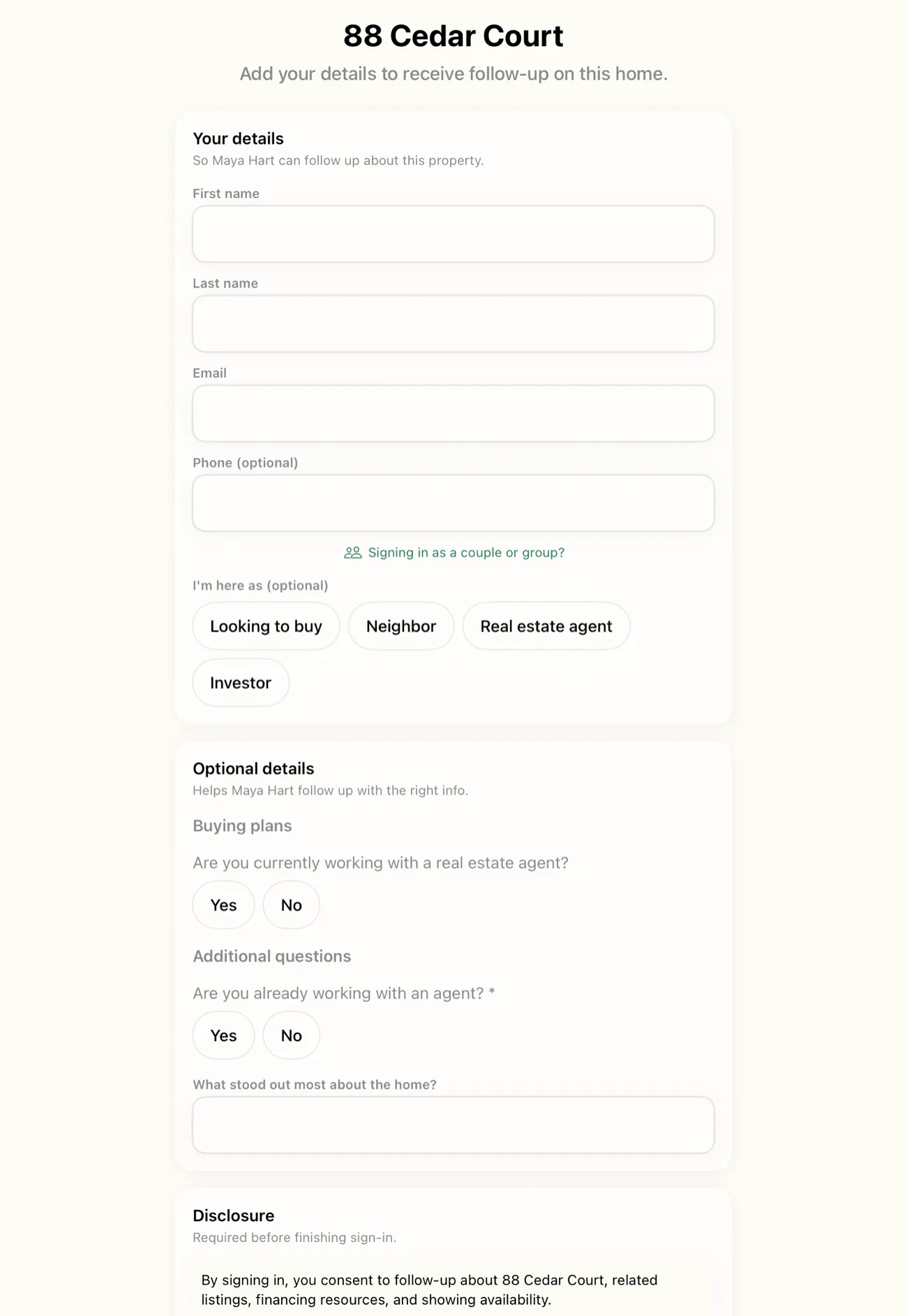
Cloud sync in OpenHouse is a switch, and it ships in the off position. OpenHouse captures leads on the device first, works with no Wi-Fi, and keeps your visitor list on the iPad by default. Turn cloud sync on and one thing changes: your leads stop living on a single device. They stay current on every iPhone and iPad signed into your account, they appear in the web app at app.openhousekiosk.com, and they flow to your CRM. Leave it off and nothing about that on-device flow changes at all. This page is about the choice: what open house app cloud sync turns on, what it does not, and the three moments during an open house weekend where having your leads in more than one place actually matters.
On by your choice, off by default
Most sign-in apps in this category are cloud-first by design. Your visitor's name reaches a server before it is anywhere else, because the server is the product and your leads are the inventory. OpenHouse is built the other way around. The flow that runs at the door is the on-device, offline capture flow, and it does not need cloud sync, an account, or a signal to do its job. Cloud sync is an addition you switch on when you want it, not a default you have to notice and turn off.
That ordering matters for a practical reason and a trust reason. Practically, an open house often happens in a house with weak Wi-Fi, a basement with no bars, or a new-construction site with no service at all. A tool that needs the cloud to save a lead is a tool that loses leads. Because OpenHouse saves first and syncs second, the dead-zone listing captures exactly the same way the fiber-connected condo does. The trust reason is simpler: off by default means you are never surprised to learn your leads left the device. They leave when you decide they should, and open house app cloud sync is that decision made explicit.
What "current on every device" actually means
With cloud sync on, there is one copy of your lead list and it stays the same everywhere you look at it. A visitor signs in on the iPad kiosk. That lead appears on your iPhone and in the browser shortly after, whenever each device has a connection. The qualification you add (represented or not, timeframe, a note about the second bedroom) syncs the same way, so the version on your phone in the driveway matches the version in the web app that night. You are not looking at three lists that have drifted apart. You are looking at one list from three screens.
This is the entire promise, and it is worth being precise about what it does not include. Cloud sync keeps your data current. It does not rank your leads, score them, or decide who to call first. OpenHouse lists who still needs a follow-up; you decide the order. Sync moves the same facts to more places, nothing more.
Three moments open house cloud sync earns its keep
Multi-device currency is not useful in the abstract. It is useful in specific situations that happen on a normal open house weekend. Here are the three that come up most, and why the leads being in more than one place changes the outcome. Speed is the through-line: NAR's research on buyer behavior points at what agents already know from door duty, that the buyer tends to reward whoever answers first.
The iPad runs the door, your iPhone is in your pocket
You set the iPad on a stand by the entryway running the single-screen sign-in, and you work the kitchen with your phone in your pocket. A visitor signs in on the iPad. With sync on, that lead is on your iPhone shortly after, while the visitor is still walking the hallway. You can glance at your phone, see the name, and greet them by it in the primary suite. With sync off, that lead sits on the iPad until you pick it up after the event. Neither is wrong. One is just more useful when the device at the door is not the device in your hand.
Two devices on one table
A packed weekend listing can outgrow a single iPad. Put a second device on the table, an iPhone or a spare iPad, and both capture into the same event. With cloud sync and a shared team workspace, two agents can sign visitors in at the same table and every lead lands in one list, not two piles you reconcile afterward. The kiosk that fills up does not become a bottleneck, because the second device is not a separate island. When the door is busy, two current copies of one event beats two devices you have to merge by hand later.
The evening desk in the web app
The open house ends and you are at the kitchen table with a laptop, not the iPad. Open app.openhousekiosk.com in any browser and, with sync on, every lead from the day is already there. You can qualify, tag, and start follow-up from a full-size keyboard instead of thumbing through a tablet, and those edits sync back to your phone and iPad. The iPad runs the door; the web app runs everything around it, and cloud sync is the thing that connects the two. If you never turn sync on, the web app simply has nothing to show, and the iPad remains the whole system.
Sync does not change the offline story
Turning cloud sync on does not move capture into the cloud. The sign-in still writes to the device first, offline, exactly as covered in offline lead capture. Sync is a background step that runs after the lead is already safe on the device, and only when there is a connection. If the Wi-Fi is dead during the event, capture is unaffected and the leads sync up later, once the device is back online.
So you are never choosing between offline safety and multi-device currency. You get the first always, whether sync is on or off, and you get the second when you switch it on. The failure mode that sinks cloud-first apps, a lead lost because the network dropped at the wrong second, does not exist here, because the network is never in the path between the visitor and the saved lead.
Opting into sync is not opting into a data business
There is a fair question buried in "should I turn on cloud sync?": does sending my leads to a server mean I am handing them to someone else. With a lot of free sign-in tools, the honest answer is yes. Curb Hero, for one, documents in its own help center how lenders get paired with your listings and sign-in questions, which is how a free tool pays for itself. The lender co-branding model means the data flowing off the device is not flowing only to the agent.
OpenHouse does not run that model. There is no lender on the form, synced or not, and your data is not sold. Cloud sync sends your leads to your account and nowhere else, so the same leads show up on your other devices and in the CRM you chose to connect. That is the whole of it. The on-device privacy posture is the baseline, and cloud sync extends it to your own devices without changing who can see the data: you, and the CRM you connected. If you want the full picture of where open house data tends to go across this category, we wrote who sees your open house data. Opting into sync is opting into having your own leads in more places, not into a business that runs on them.
Leads that stay current in your CRM
Cloud sync is also what keeps the copy in your CRM from going stale. With sync on, leads flow to the CRM you connected as they come in, rather than waiting for a manual export once the event wraps. The CRM connections and export options cover which platforms connect natively (Follow Up Boss, HubSpot, BoldTrail, kvCORE, Lofty, Sierra Interactive) and how the one-tap CSV, vCard, and Apple Contacts exports work for everything else. The point specific to this page is that cloud sync is what keeps the CRM copy current, an ongoing flow rather than a snapshot you have to remember to push.
OpenHouse is not a CRM and does not try to be one. There are no drip campaigns, pipeline stages, or dialer here. Cloud sync gets your leads into the CRM that does that work, current and tagged with the property, so the tool built for follow-up has the freshest possible list to work from.
What happens if you cancel
Cloud sync does not change the deal on ownership. If a subscription lapses, OpenHouse drops to a data-safe read-only mode: you cannot run new events, but every lead you captured stays viewable and exportable, for free, in every format. Leads that already synced to your other devices and your CRM are still there too. Nothing about turning sync on puts your leads somewhere you can lose them. On teams, cloud sync is what pools everyone's leads into the one dashboard the workspace shares, billed per seat (9.99 dollars per month or 79.99 dollars per year per seat), and the same read-only protection applies to that shared data if billing stops.
The opt-in half of OpenHouse
Cloud sync is the opt-in half of OpenHouse. The on-device, offline capture is the half that always runs. Turn sync on when your leads need to be in more than one place: the iPad at the door and the iPhone in your pocket, the busy table with two devices, the browser on the kitchen table that evening. Turn it off when they do not, and the whole offline flow keeps working unchanged. Either way, the leads are captured first on the device, kept private to your account, and yours to export whenever you want. Try open house app cloud sync during the one-month trial and see whether having your leads current everywhere is worth the switch for how you actually run a weekend.
Frequently asked questions
Is cloud sync on by default in OpenHouse?
No. Cloud sync is opt-in and ships off. OpenHouse captures leads on the device first, offline, and your visitor list stays on the iPad until you switch sync on. Turning it on is a deliberate choice, not a default you have to find and disable.
What changes when I leave cloud sync off?
Nothing about the on-device flow. Capture still runs on the device, offline, with no network calls during the event. Sync off simply means your leads stay on the device that captured them instead of appearing on your other devices and in the web app.
Does turning on cloud sync mean my leads are sold or shared with lenders?
No. There is no lender co-branding on the OpenHouse form and your data is never sold. Cloud sync sends your leads to your own account so they appear on your other devices and in the CRM you connected. The only parties who see the data are you and that CRM.
Which devices does open house app cloud sync keep current?
Every iPhone and iPad signed into your account, plus the web app at app.openhousekiosk.com in any browser. A lead captured on the iPad kiosk shows up on your iPhone and in the browser shortly after, whenever the device has a connection.
Do I still need Wi-Fi at the open house if sync is on?
No. Capture is always on-device and offline. Cloud sync runs in the background after a lead is already saved, and only when there is a connection. If the Wi-Fi is dead during the event, the leads sync up once the device is back online.
Can two agents capture on two devices at the same table?
Yes, with cloud sync and a shared team workspace. Put a second iPhone or iPad on the table and both devices capture into the same event, so every lead lands in one dashboard the whole team sees instead of two separate lists.
Can I follow up from a computer instead of the iPad?
Yes. With cloud sync on, the web app at app.openhousekiosk.com shows every lead from the event. You can qualify, tag, and start follow-up from a full-size keyboard that evening, and the changes sync back to your phone and iPad.
If my subscription lapses, do I lose my synced leads?
No. OpenHouse drops to a data-safe read-only mode. You cannot run new events, but every captured lead stays viewable and exportable, for free, on your devices and wherever it already synced.